

Shot Chart Mapper

$45.00

Create professional basketball shot charts with ease

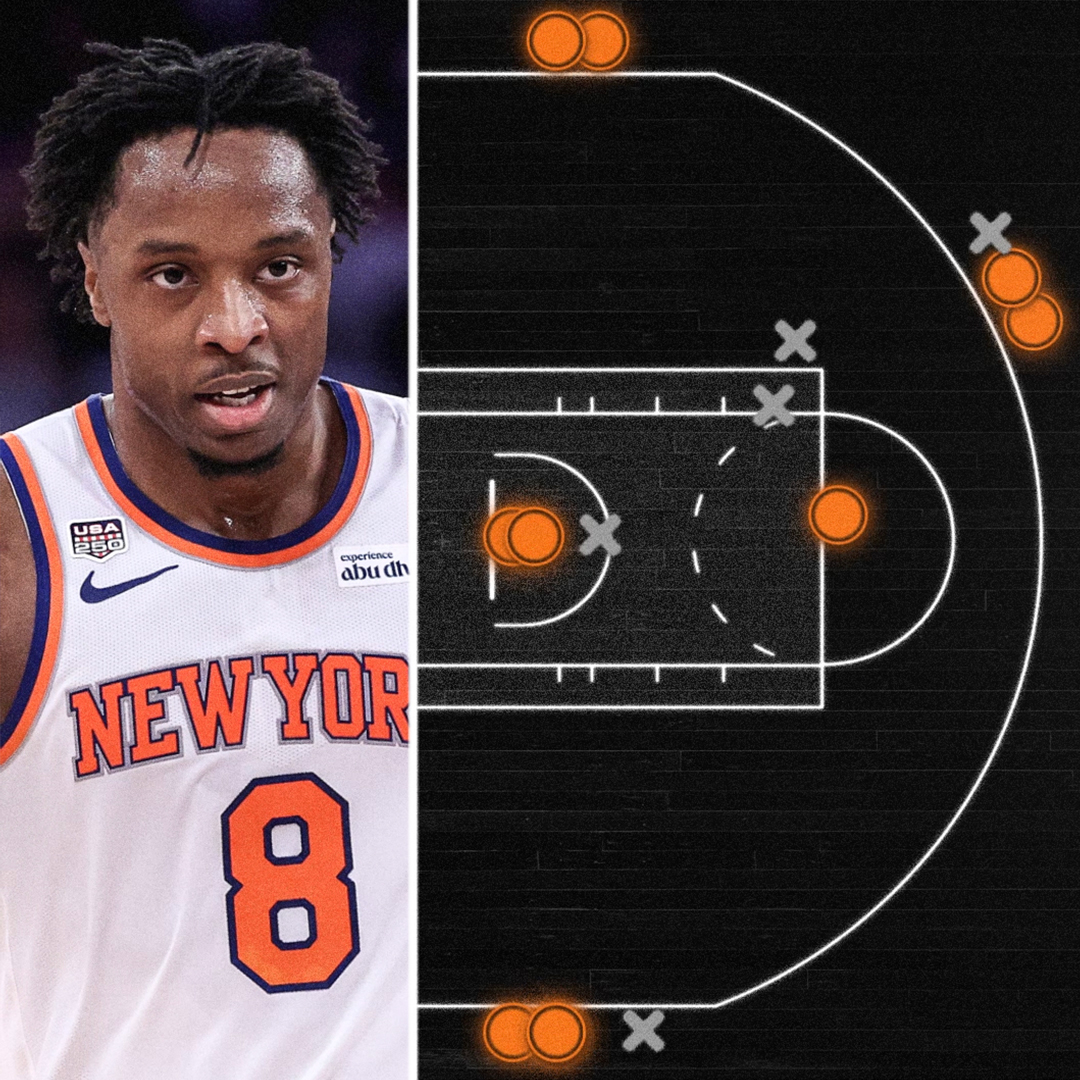
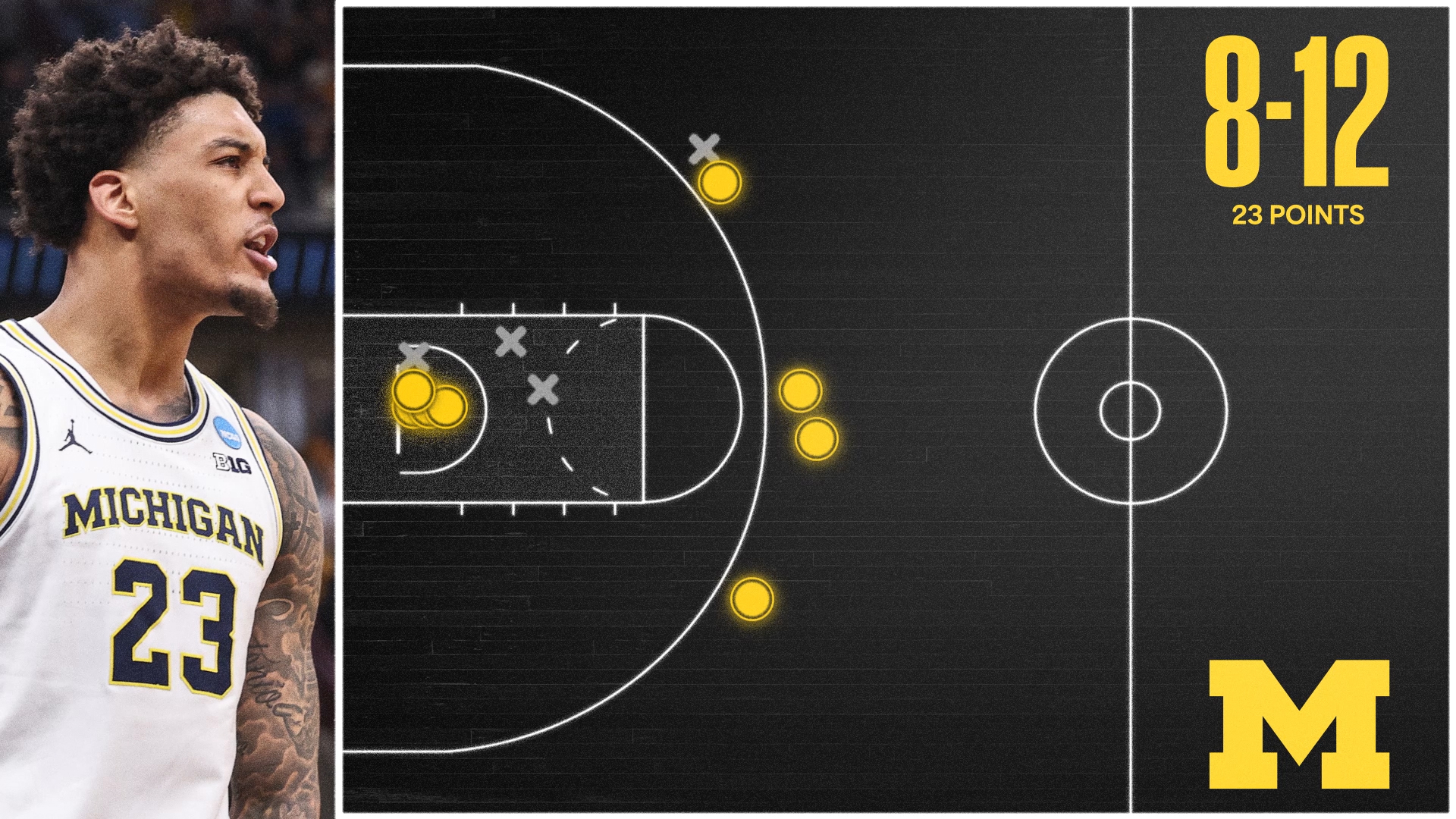
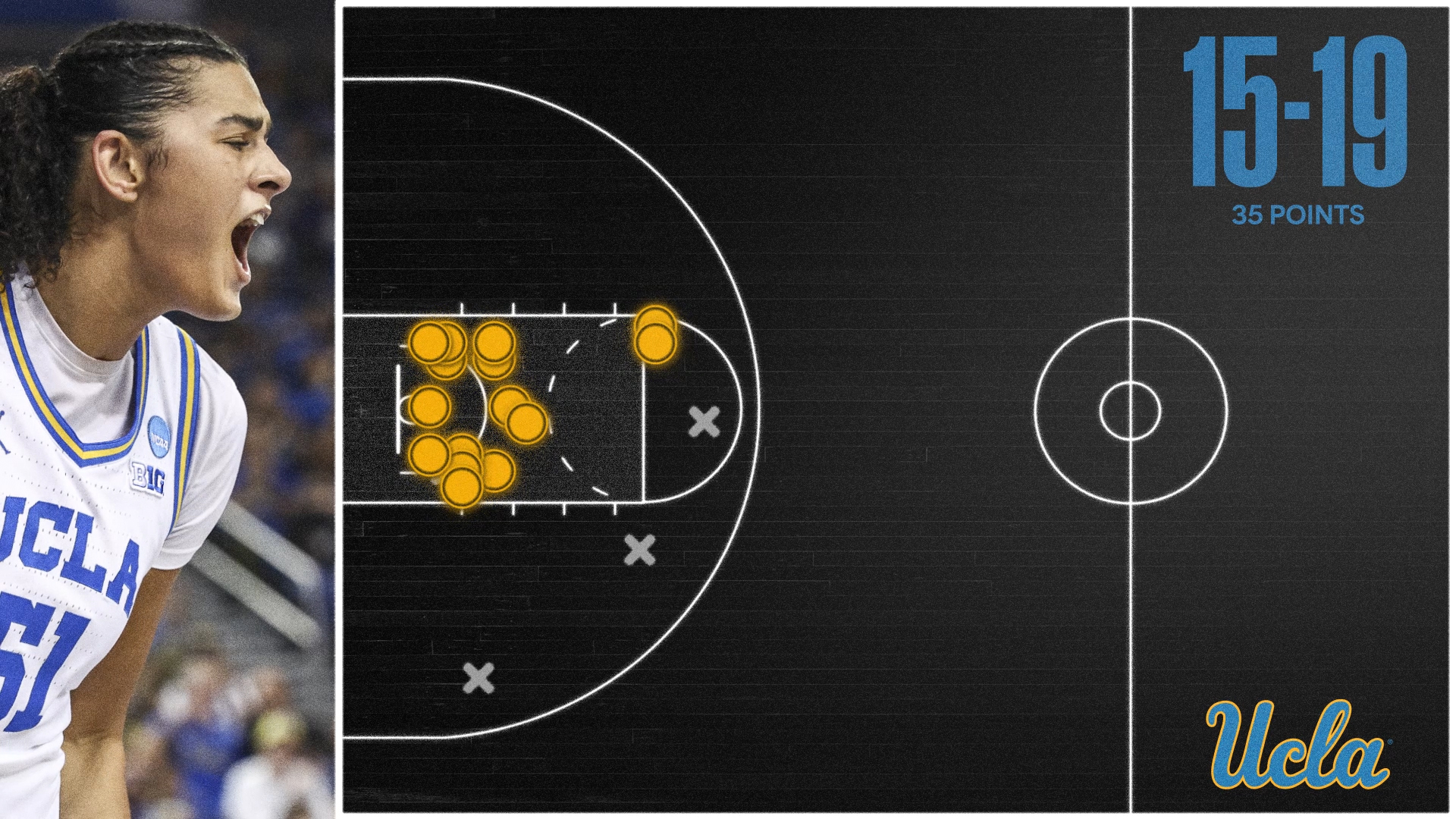
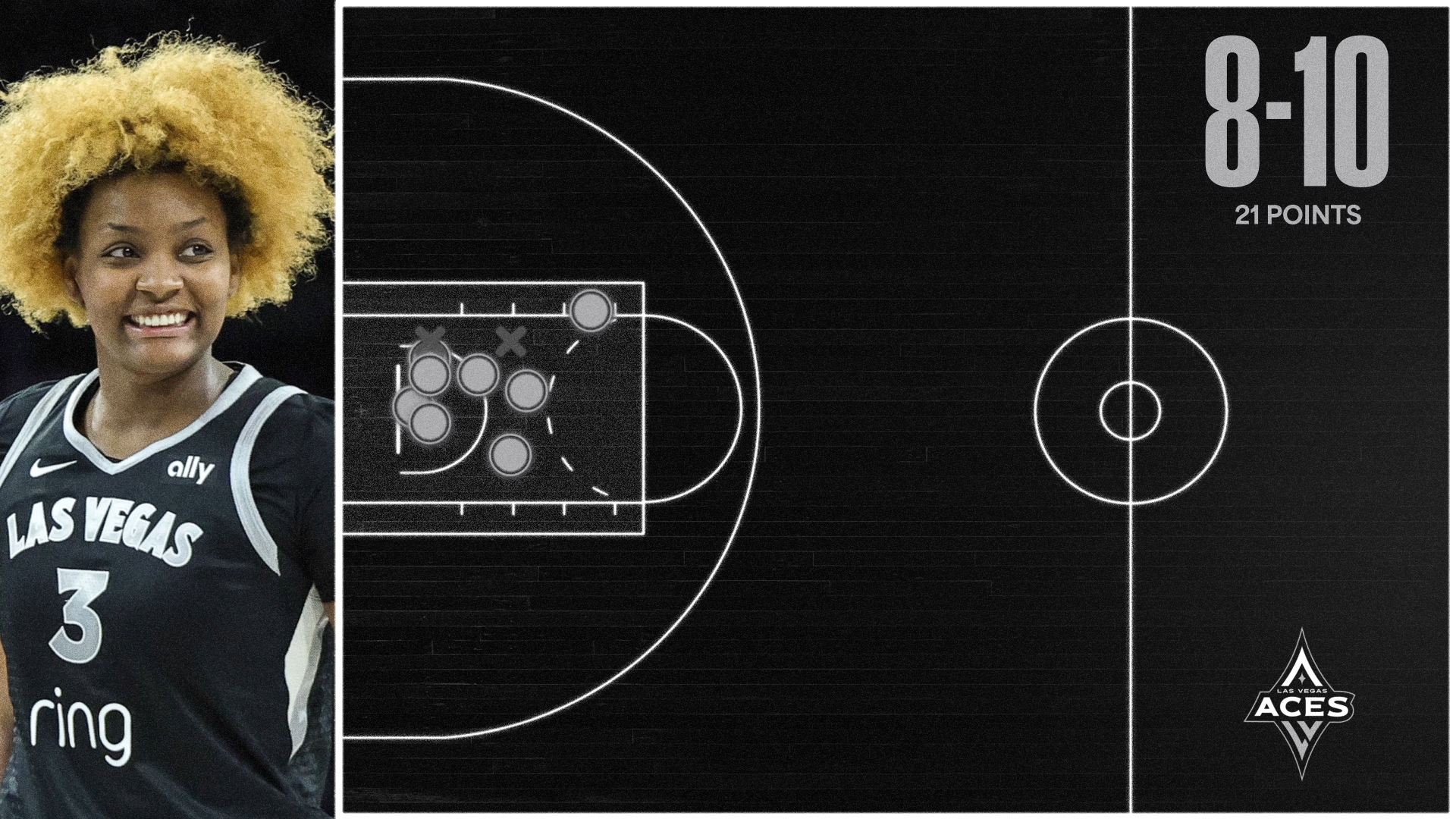
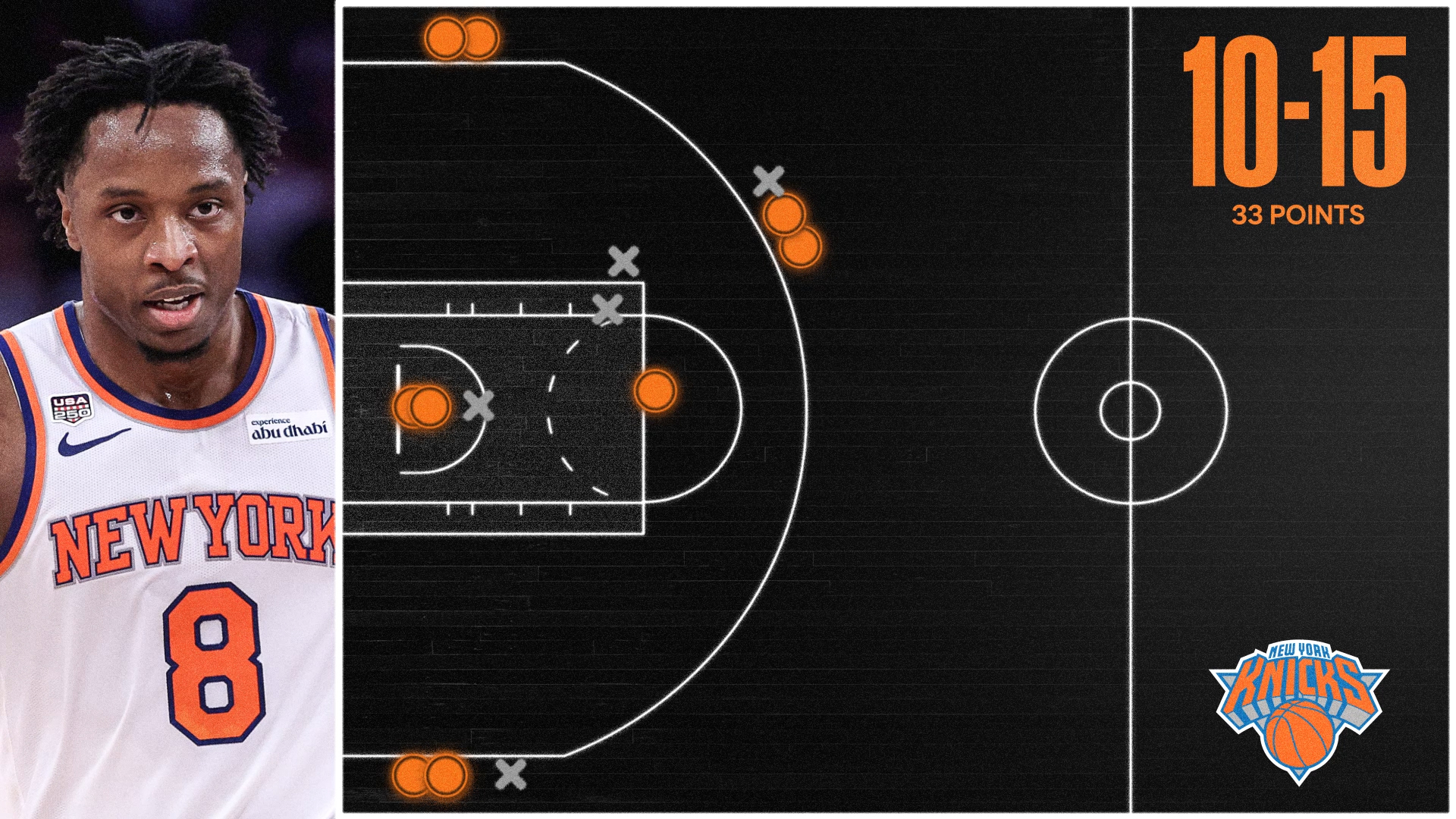
Built for Adobe After Effects, Shot Chart Mapper makes it fast and straightforward to create professional animated basketball shot charts. Import game and shot data from ESPN, select a player, and automatically plot made and missed field goal attempts into a customizable motion graphics template.

Everything can be adjusted after import, including shot locations, makes and misses, player and game information, and chart colors. When your chart is ready, render a finished 1920×1080 Full HD (16:9) animated shot chart for social media, recruiting, video boards, game-day content, highlight videos, and other motion graphics projects.

What can Shot Chart Mapper do?
  • Import games and player shot data directly from ESPN
  • Automatically plot made and missed field goal attempts
  • Automatically populate player and game information
  • Create animated basketball shot charts inside Adobe After Effects
  • Manually add, move, edit, or remove shot attempts
  • Edit imported player and game information
  • Customize make and miss colors
  • Use a professionally designed animated basketball court and motion graphics layout
  • Render at 1920×1080 Full HD in 16:9
  • Create finished motion graphics for social media, recruiting, video boards, analysis, and video production
Examples

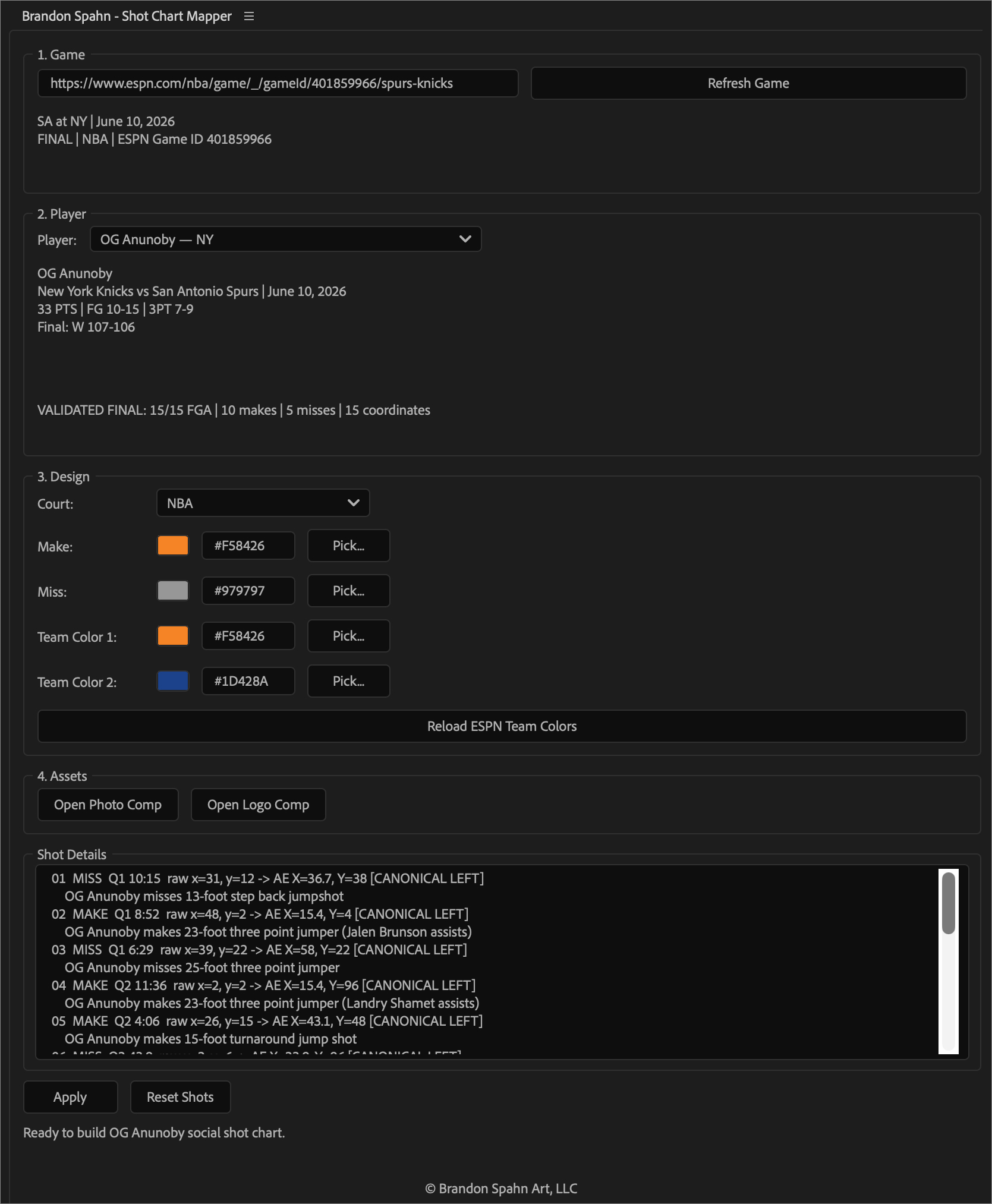
Menu Information

Shot Chart Mapper Menu

Video Tutorial

FAQ

What is Shot Chart Mapper?
Shot Chart Mapper is an Adobe After Effects motion graphics template and script for creating animated basketball shot charts. It can import game and shot data from ESPN, automatically plot a player’s made and missed shots, and build that information into a customizable animated composition.

Do I need Adobe After Effects to use Shot Chart Mapper?
Yes. Shot Chart Mapper is built specifically for Adobe After Effects. After Effects is required to import the data, customize the template, edit the animation, and render the finished shot chart.

How does the ESPN import work?
Select an ESPN basketball game and player, and Shot Chart Mapper automatically imports available shot locations and game information. You can then review and edit the data before exporting your final chart.

Can I edit the information after I load it from ESPN?
Yes. Everything imported from ESPN can be edited after it loads, including player and game information, shot locations, makes and misses, and chart colors. ESPN gives you a fast starting point, but you still have full control over the final shot chart.

Can I manually edit shot locations?
Yes. Shot locations can be added, moved, edited, or removed, so you can correct imported data or create a shot chart manually when needed.

What can I use the shot charts for?
Shot charts can be exported for social media graphics, recruiting content, basketball analysis, game-day graphics, presentations, and other personal or commercial projects.

Can I use Shot Chart Mapper for client work?
Yes. You can use exported shot charts in client projects.

Can I use it for my own commercial projects?
Yes. The license allows you to use exported graphics in your own personal and commercial projects.

Where do I install the script?
On Windows, install the script in:C:\Program Files\Adobe\Adobe After Effects [version]\Support Files\Scripts\ScriptUI Panels

On Mac, install it in:
/Applications/Adobe After Effects [version]/Scripts/ScriptUI Panels

Will I receive an invoice?
Yes. After completing your purchase, you’ll receive an invoice by email.

What payment methods are accepted?
Credit card, PayPal, and Venmo are accepted.